Tables and Dining Areas
Organize your dining room by area and see at a glance which tables are available or occupied.
- Set up areas such as the main dining room or patio.
- Open a new order or continue an existing one.
- View open orders and totals.
Manage dine-in orders, takeout orders, and deliveries. Keep your team connected from order entry to preparation and payment.
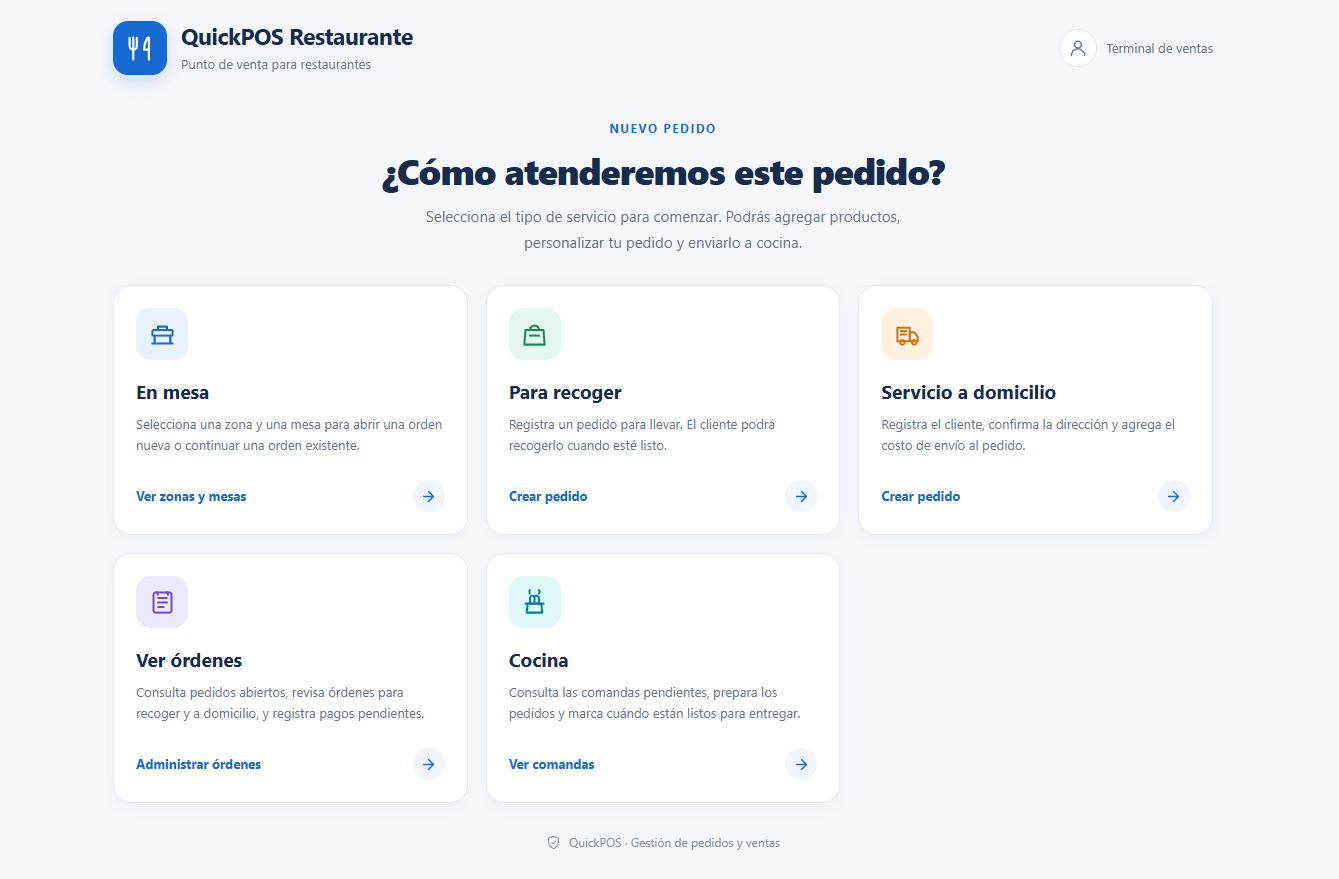
Organize service, track every order, and get a clearer view of what is happening on the floor, at the register, and in the kitchen.
Organize your dining room by area and see at a glance which tables are available or occupied.
Create takeout orders and track preparation until the customer arrives.
Record customer details and the delivery address to keep each order organized.
Track order totals, payments, and outstanding balances when closing orders.
Bring kitchen tickets together so staff can see what still needs to be prepared and what is ready.
Track active orders while keeping their status and running total in view.
View your restaurant areas, identify occupied and available tables, and continue open orders. Keep each order linked to its table throughout service.
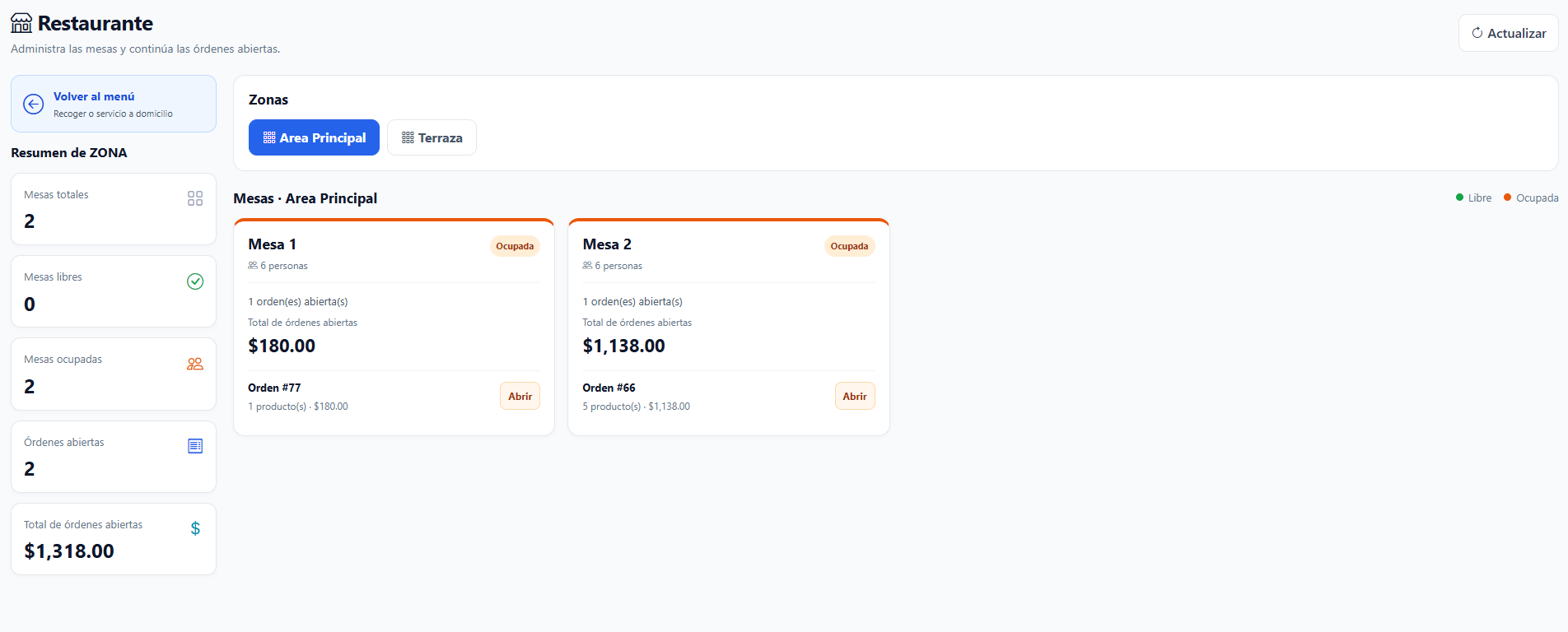
QuickPOS Restaurant reúne los flujos principales para que tu equipo pueda registrar y dar seguimiento al servicio.
Create a takeout order, add items and instructions, and have it ready when the customer arrives.
Sign Up for Free →Link the order to the customer, enter the delivery address, and add the delivery fee.
Sign Up for Free →Open or continue an order from the assigned table and keep tracking it throughout service.
Sign Up for Free →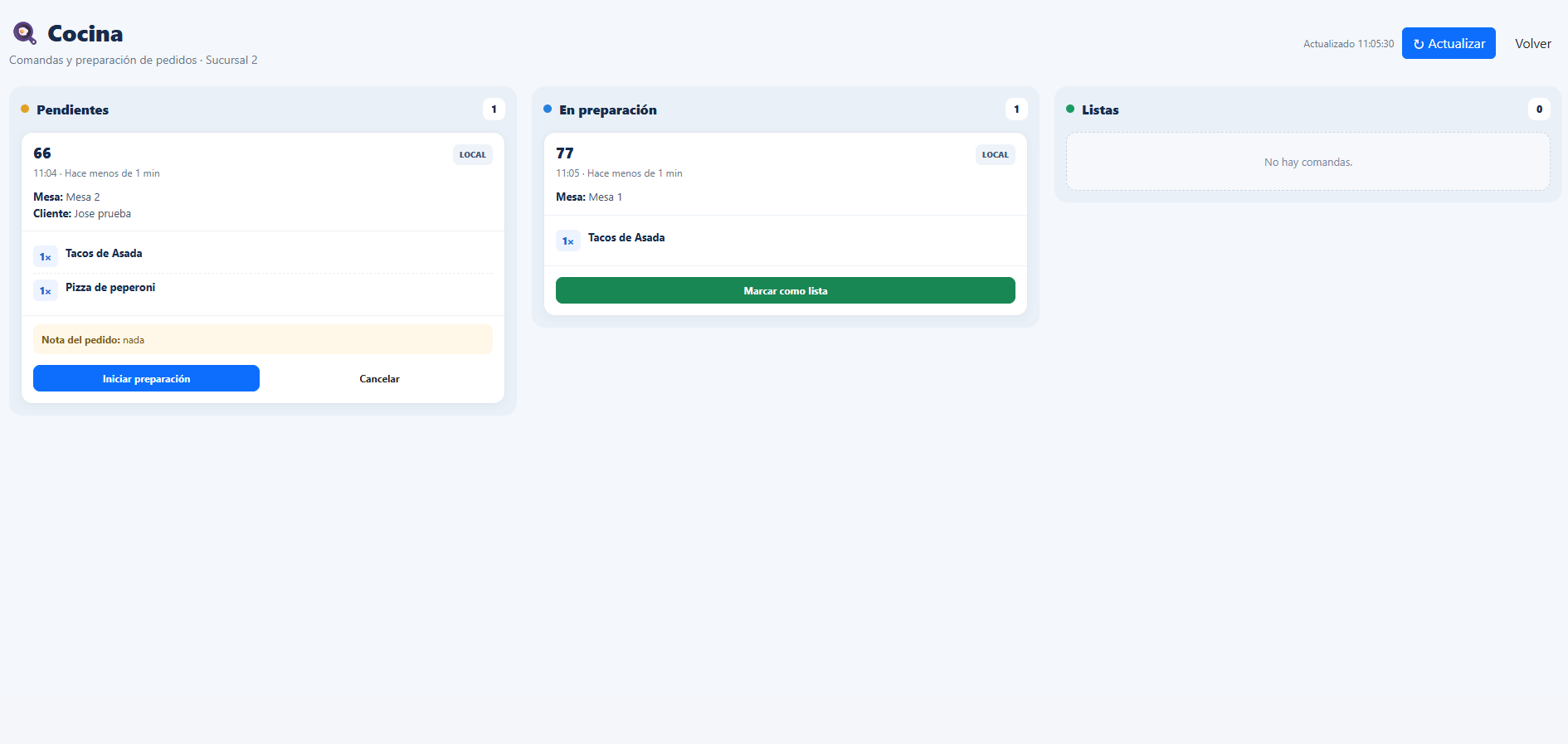
The kitchen display organizes tickets by status. Staff can review each order’s items and update its progress as they prepare it.
Record payments for your orders and track outstanding balances. If you need to combine payment methods or split a bill, confirm during onboarding whether that workflow is enabled for your account.
Connect the main steps so staff know what to do next.
Select a table or create a takeout or delivery order.
Enter the items and any necessary order notes.
Review the kitchen ticket and update its status during preparation.
Mark the order as ready and continue with fulfillment and payment.
Answers to common questions about tables, orders, kitchen workflows, and payments.
Get started with QuickPOS Restaurant and organize tables, takeout orders, deliveries, and kitchen tickets from one platform.